
Steps
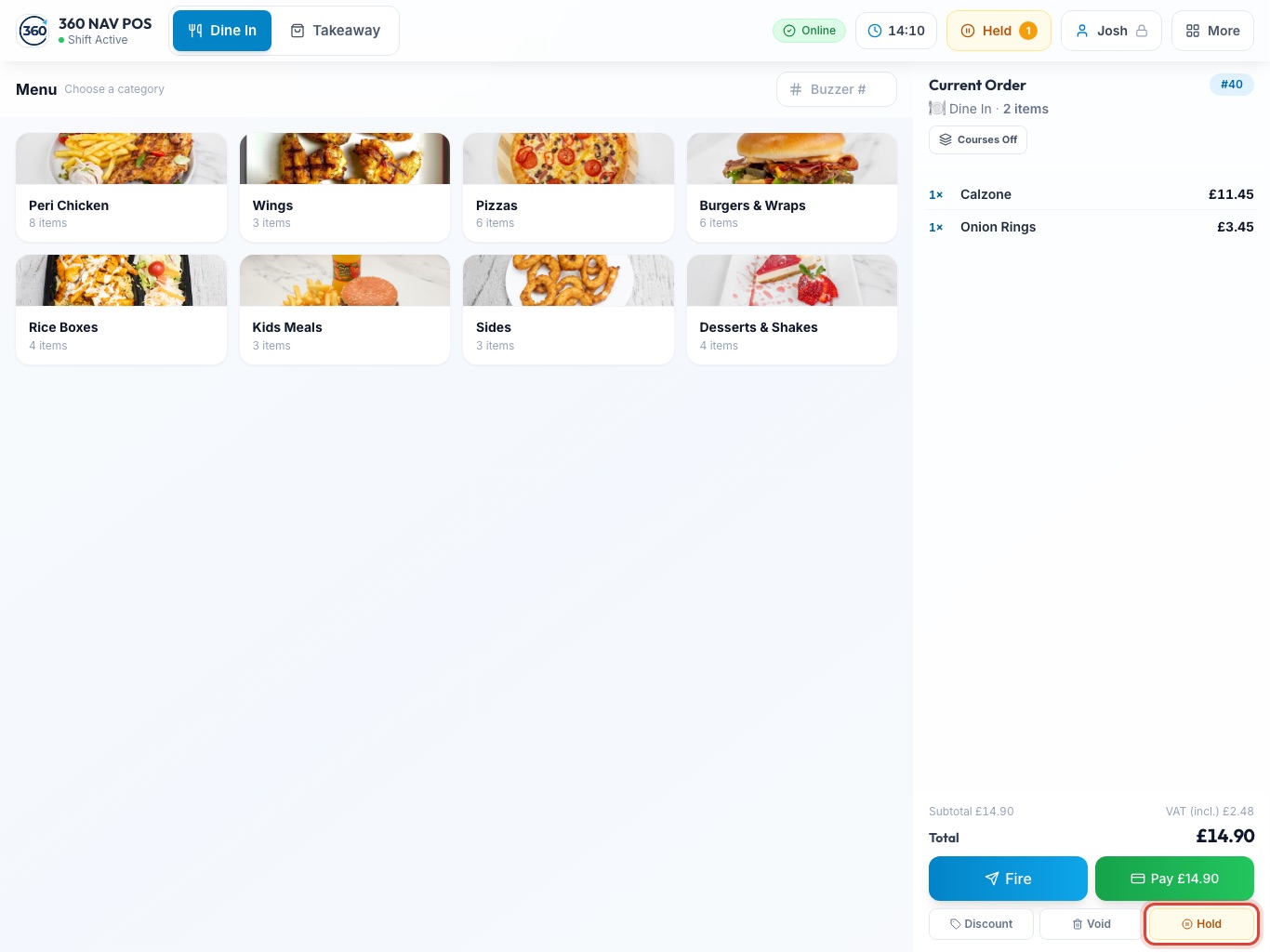
Hold an order. Tap Hold under the order. It's parked and a new, empty order starts.
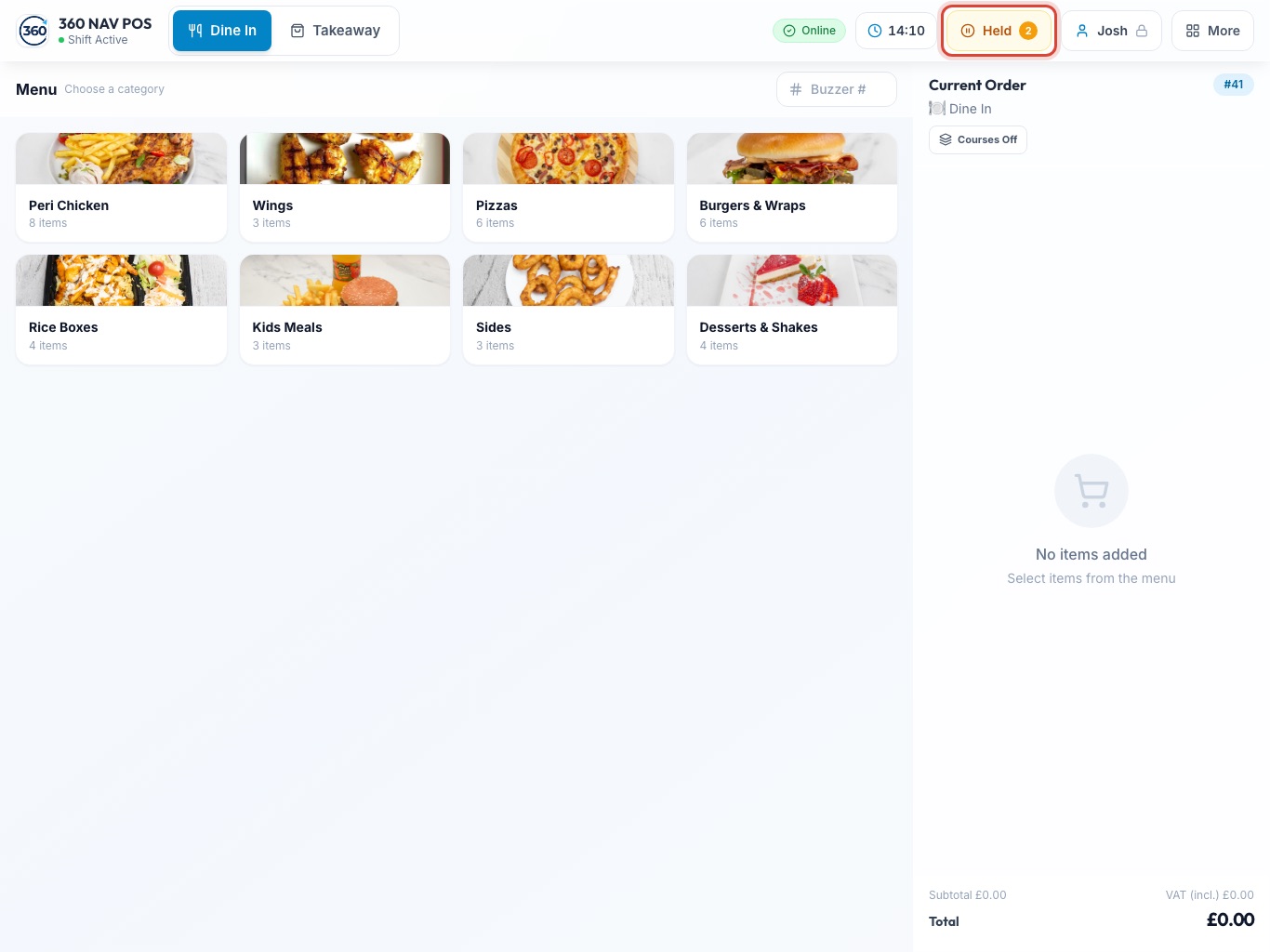
Find held orders. A Held counter appears at the top of the screen. Tap it to see the list.
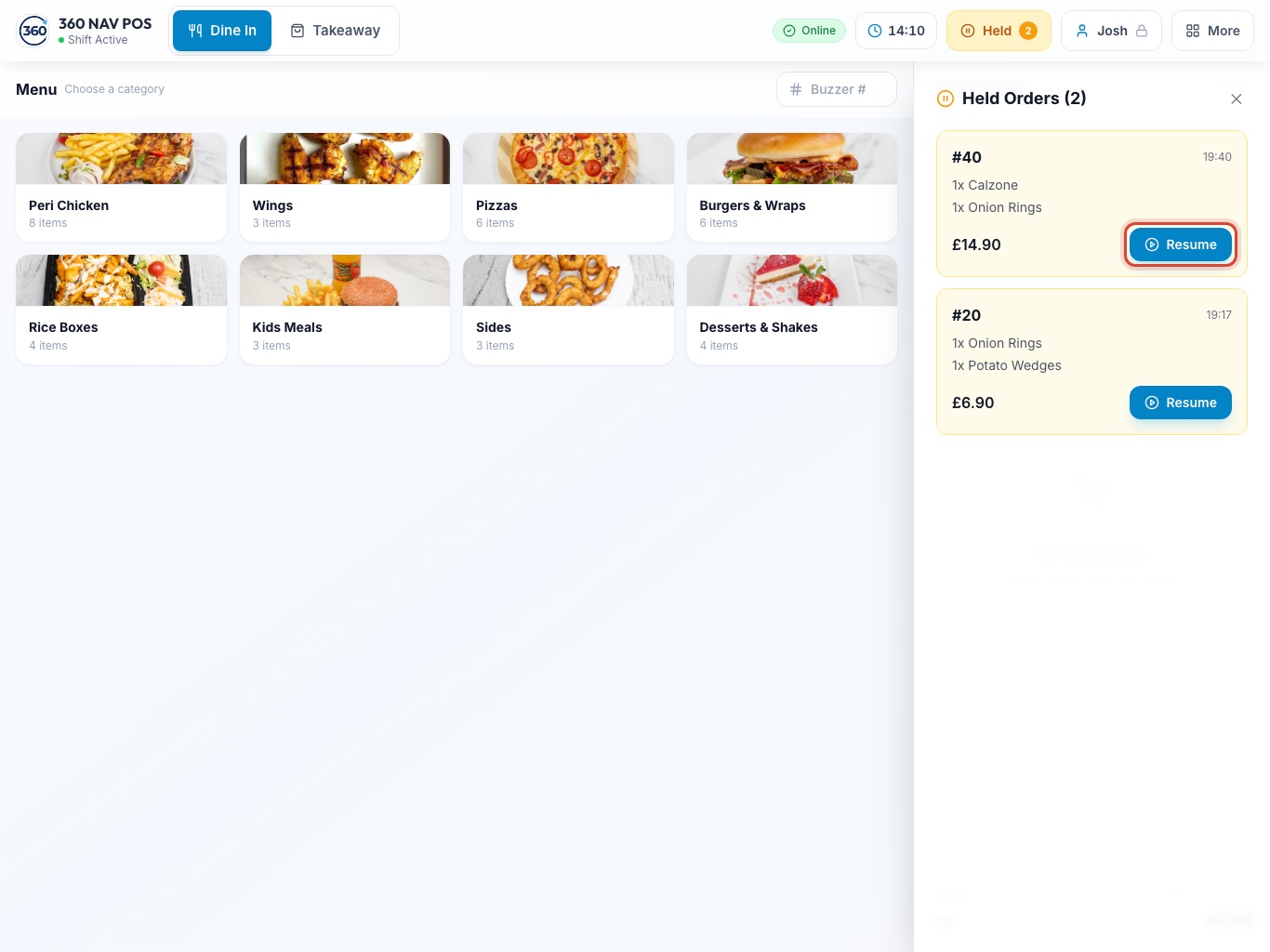
Resume. Tap Resume next to the order to carry on with it.
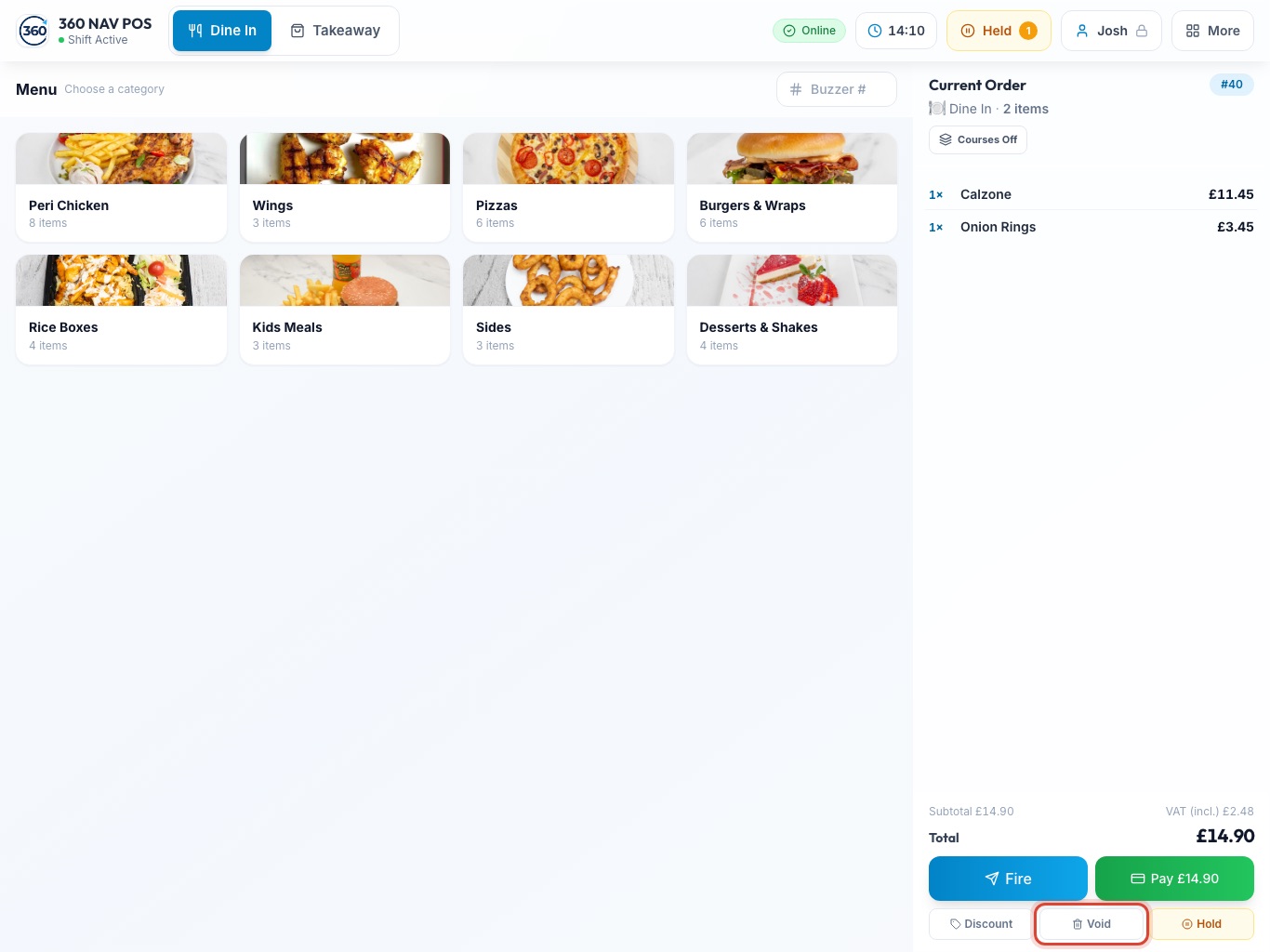
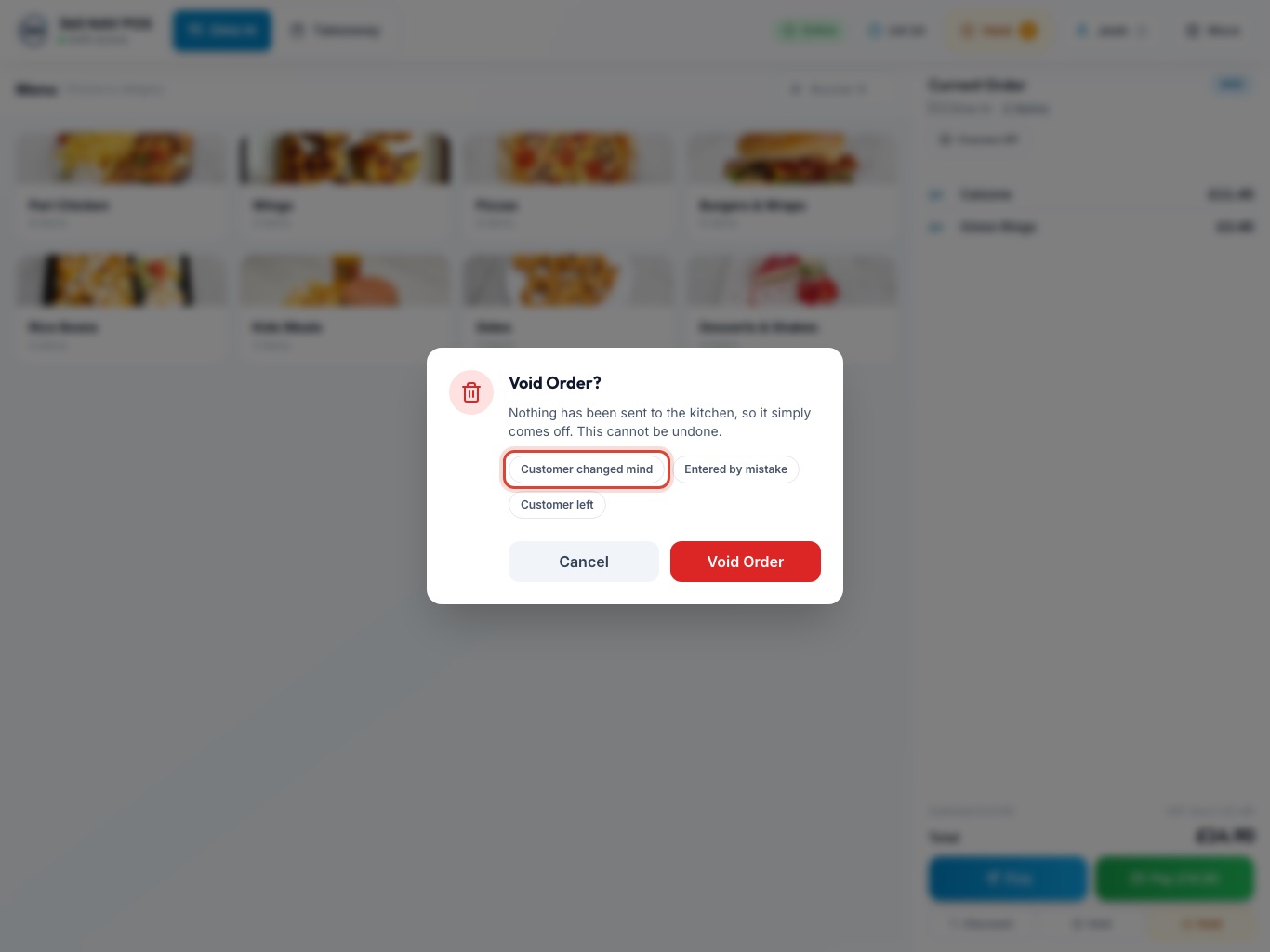
Void an order. To cancel the whole order, tap Void.
Pick a reason and confirm. Choose a reason, then Void Order. If nothing has gone to the kitchen it simply comes off; once items are fired, a manager must approve.
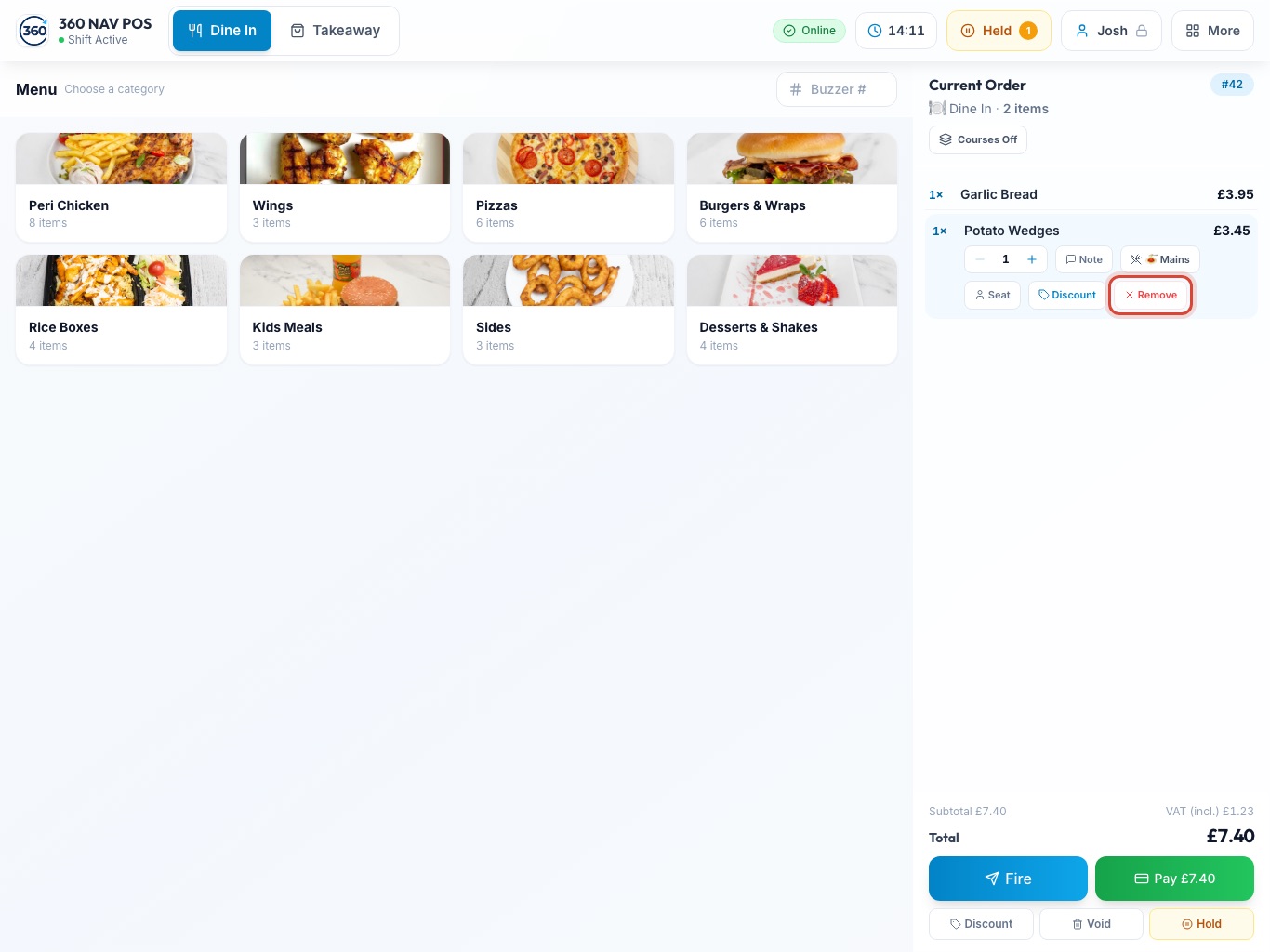
Remove one item. Tap the item in the order, then Remove.
Tips
- Voids are recorded with the reason and who did it, and show on reports.