
Steps
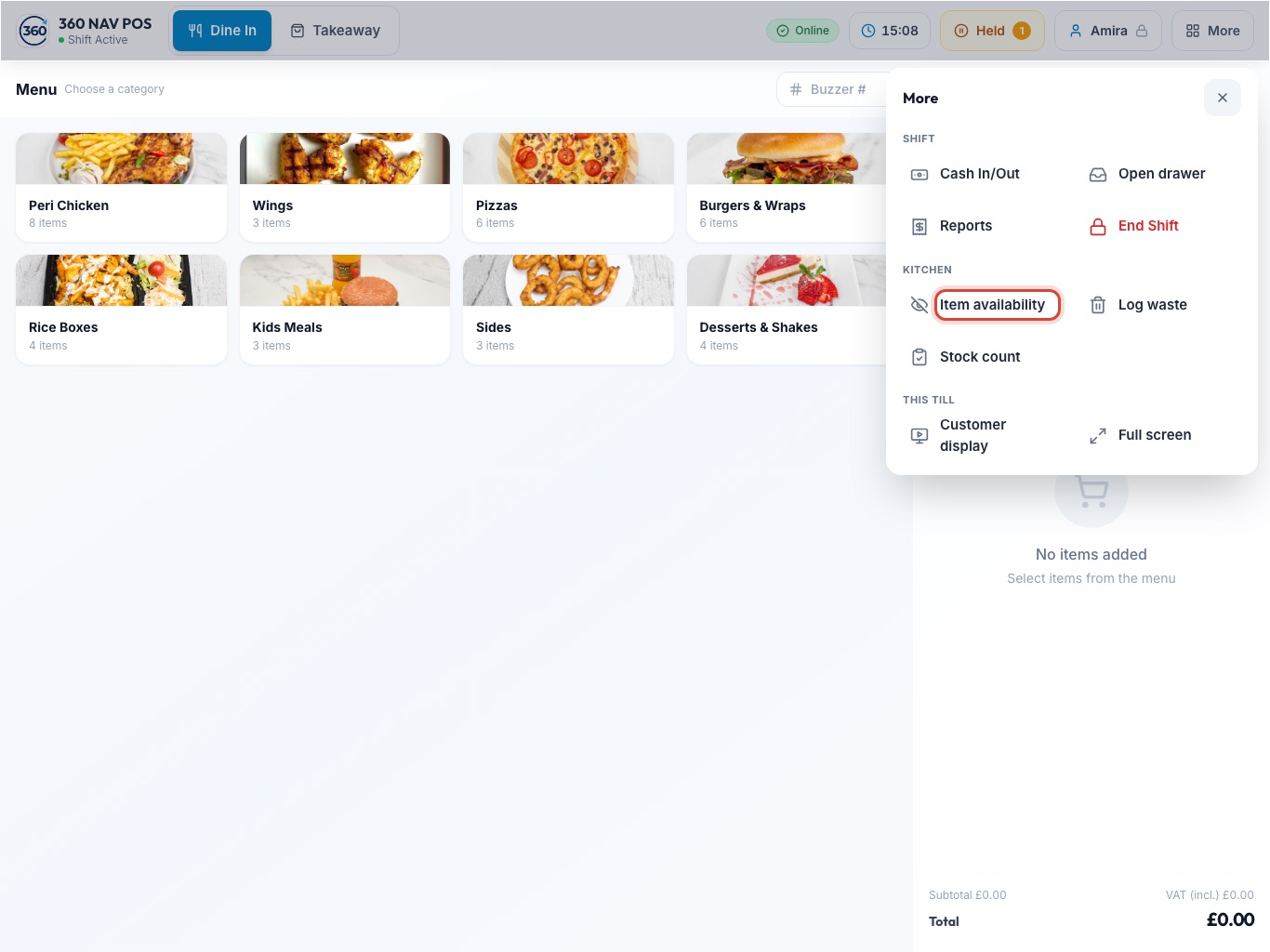
Open Item availability. Tap More, then Item availability.
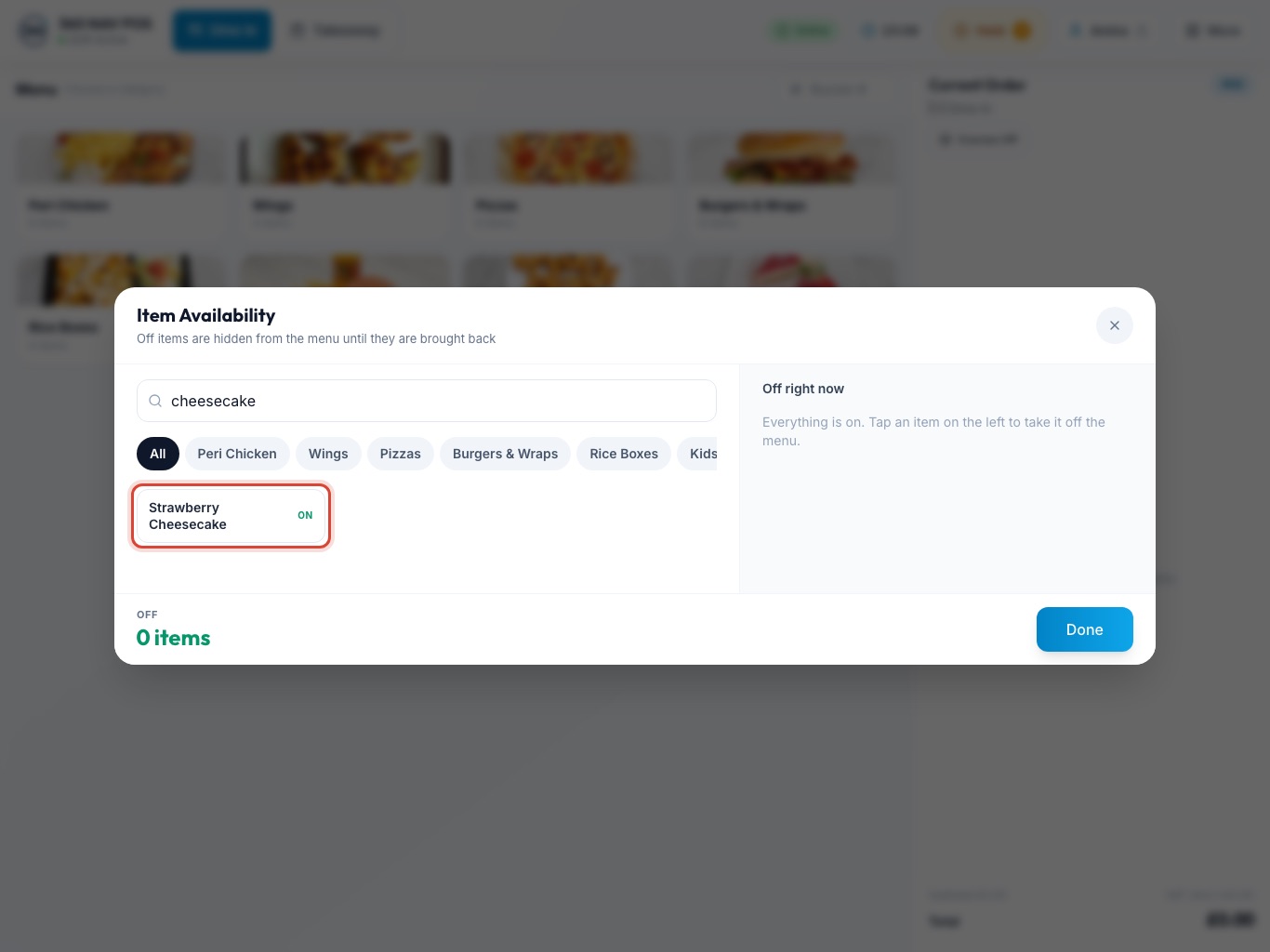
Switch the item off. Pick its category, then tap the item. It turns red and shows OFF.
Check the list. Everything that's off is listed under Off right now, and hidden from the menu.
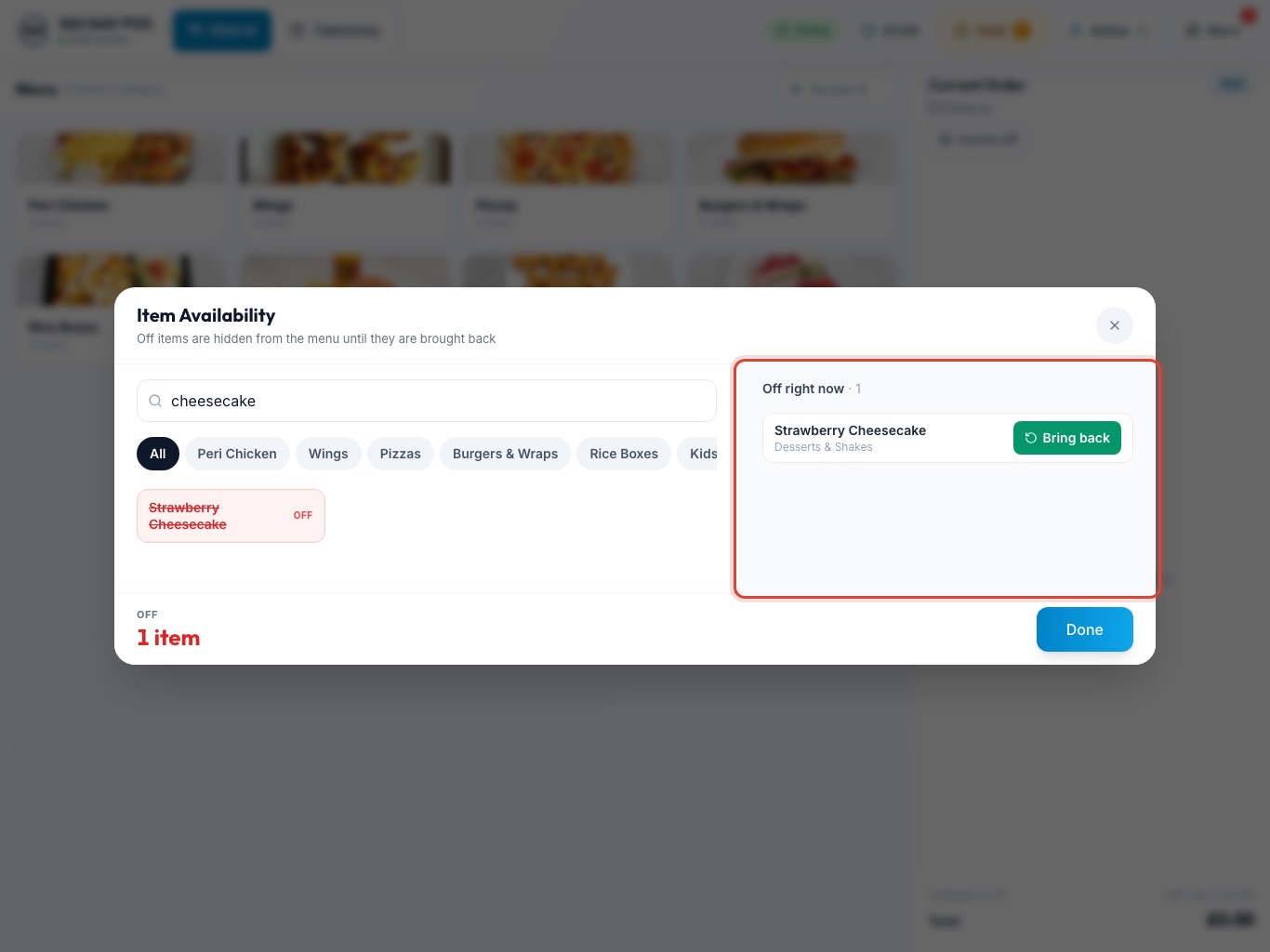
Bring it back. When it's available again, tap Bring back, then Done.
Tips
- The till says it plainly: items switched off are hidden from the menu until they are brought back.